
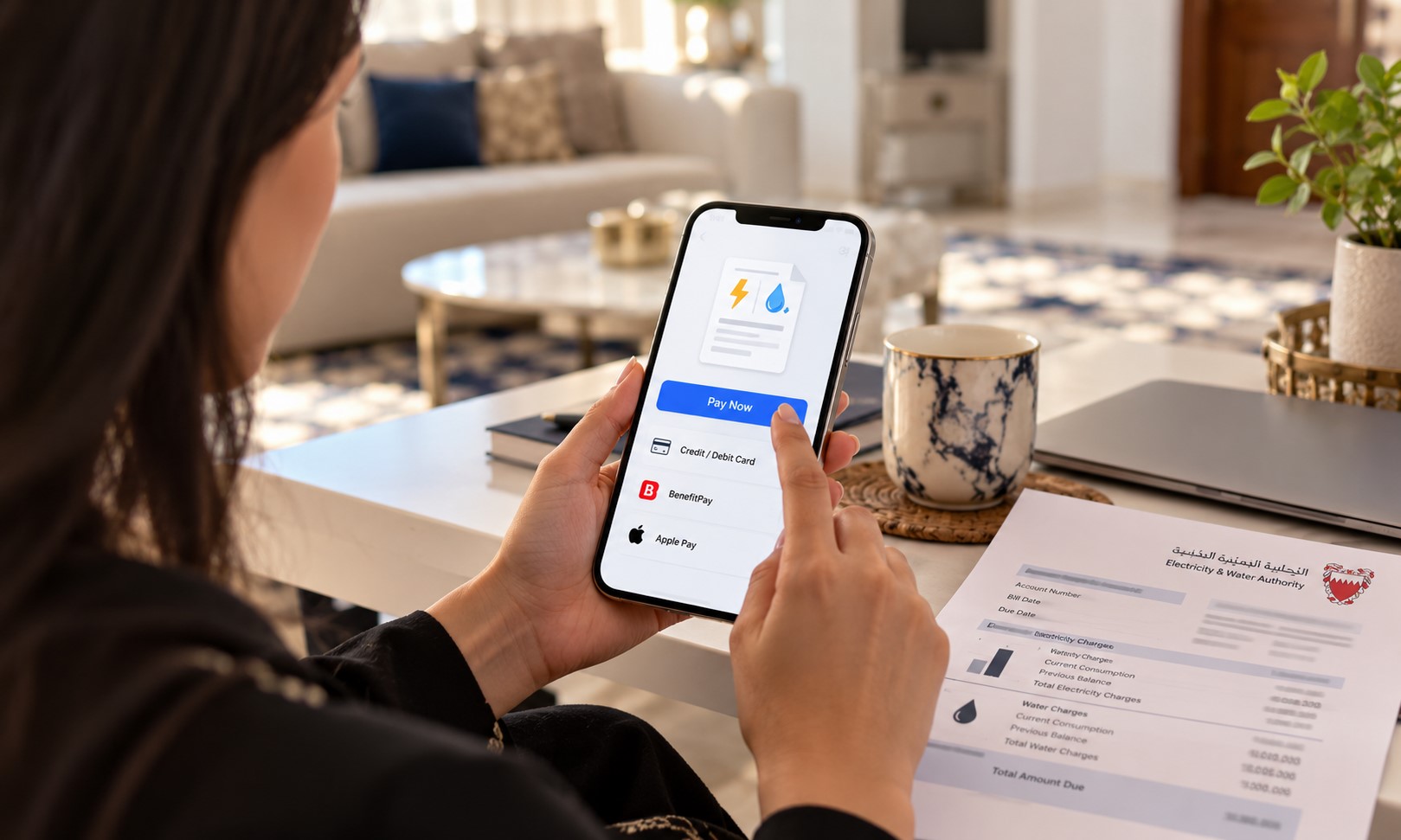
You can check and pay your EWA electricity and water bill in Bahrain online without logging in. Open the “Pay Electricity and Water Bill” service on the government portal, enter your identity number and EWA account number, and your amount due appears.
No eKey is needed for this service. Here is how it works, step by step.
What you need before you start
- Your identity number: this is your CPR (Bahrain personal number). Residents of other GCC countries can use their national personal number, and a passport number is also accepted.
- Your EWA account number: it is printed on your electricity and water bill.
- A debit or credit card to pay online.
How to check and pay your EWA bill
Step 1: Open the EWA services on bahrain.bh
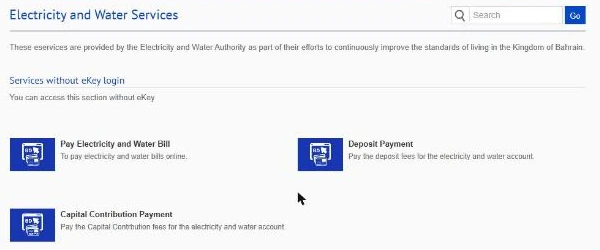
Go to the Bahrain government eServices portal (services.bahrain.bh) and open Electricity and Water Services. Under Services without eKey login, choose Pay Electricity and Water Bill.
Read More: New Office Rules: Oman Bars Recruitment Office Fees For Workers From 2027
Step 2: Enter your identity and account number
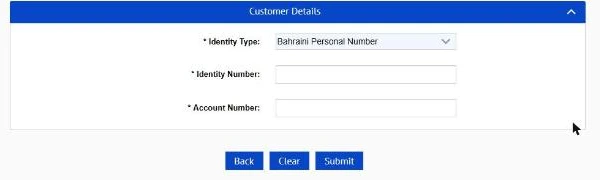
Choose your Identity Type. For most residents, that is Bahraini Personal Number, which is your CPR. Type your Identity Number and the Account Number from your bill, then click Submit. All three fields are required.
Step 3: Check the amount and pay
Your outstanding amount is shown on the next screen. Check that it matches your bill, then pay by card. Keep the payment confirmation until the payment shows on your next bill.
Other ways to check your EWA bill
With an eKey login
The “Electricity and Water Bill Enquiry and Payment” service shows your current bill details. “Bill History” and “Payment History” show past months. These are the services that do need an eKey.
EWA customer care
Call or WhatsApp +973 17515555, or email customercare@ewa.bh. This is also the place to go if you have lost your bill and cannot find your account number.
If your bill looks too high
Start with the reading type on your bill. It is marked either estimated (E) or actual (A). If it is estimated and your real meter reading is different, send your actual reading to EWA by phone, WhatsApp or email using the contacts above.
Next, check that the meter ID on the bill matches the meter at your home. Then compare the bill with the same month last year. Summer air-conditioning pushes bills up, so a jump is not always an error.
Common Mistakes To Avoid
- Choosing the wrong identity type. If you enter a CPR, select the Bahraini Personal Number option. If you use a passport, pick the passport option.
- Typing the wrong account number. Copy it from the bill, not from memory.
- Paying without checking the amount. Compare the figure on screen with your bill first.
- Throwing away the confirmation. Keep it until the payment appears on your next bill.
Steps were checked on the official bahrain.bh portal on 28 October 2026. Government portals change from time to time, so if a screen looks different, follow the instructions on the official site. This guide is general information, not official advice.
Read More: Why Carrefour is Closing Its Bahrain Stores: Key Insights
FAQs
Can I pay my EWA bill without an eKey?
Yes. The “Pay Electricity and Water Bill” service on bahrain.bh only needs your identity number and EWA account number. An eKey is needed for bill history, payment history and other account services.
Where do I find my EWA account number?
Your account number is printed on your electricity and water bill. If you don’t have a bill, contact EWA customer care on +973 17515555.
Can I use my passport number instead of my CPR?
Yes. Passport number is one of the identity types on the payment form, along with Bahraini and other GCC personal numbers.
